✓ Royal Mail Authorised Inspector since 2008 | Trading since 2005


What Should You Do When Your Franking Machine Runs Out of Ink?
When your franking machine runs out of ink, first check whether the display shows a low-ink warning or an empty message – a low warning gives you time to finish urgent mail and reorder, while an empty message means you must pause and fit a new cartridge. Confirm the correct cartridge for your machine model, install the replacement, then run a test print or cleaning cycle to make sure the impression is bold and complete before sending mail.
You are halfway through your mail run and – suddenly – your franking machine displays that dreaded message: Low Ink or Out of Ink. Whether you are franking a handful of letters or processing hundreds of items a day, running out of ink will disrupt your workflow, delay your mail, and even lead to rejected items if impressions become faint. At Mailcoms, we supply hundreds of franking machine ink cartridges each month – and we know exactly what to do when you hit that low-ink moment.
Step 1: Check the Message – Is the Ink Low or Empty?
Most modern franking machines will give you a low ink warning well before you run out of ink and the franking machine stops franking. If you still have time, this is your chance to:
- Finish urgent mail items.
- Order a replacement cartridge.
- Prepare to change the ink without rushing.
If the machine is showing “Ink Empty,” you will need to pause operations until a new cartridge is fitted. Order genuine and compatible ink cartridges here.
Step 2: Confirm Which Ink Cartridge You Need
Not all franking ink cartridges are the same – even if the franking machine looks similar. To avoid delays:
- Check your franking machine model number on your franking machine. This will help you to easily find the correct ink cartridge when it comes to purchasing.
- Look at the cartridge part number or reference code (also known as a SKU).
- Or contact Mailcoms support – we will help you find the correct ink cartridge, fast.
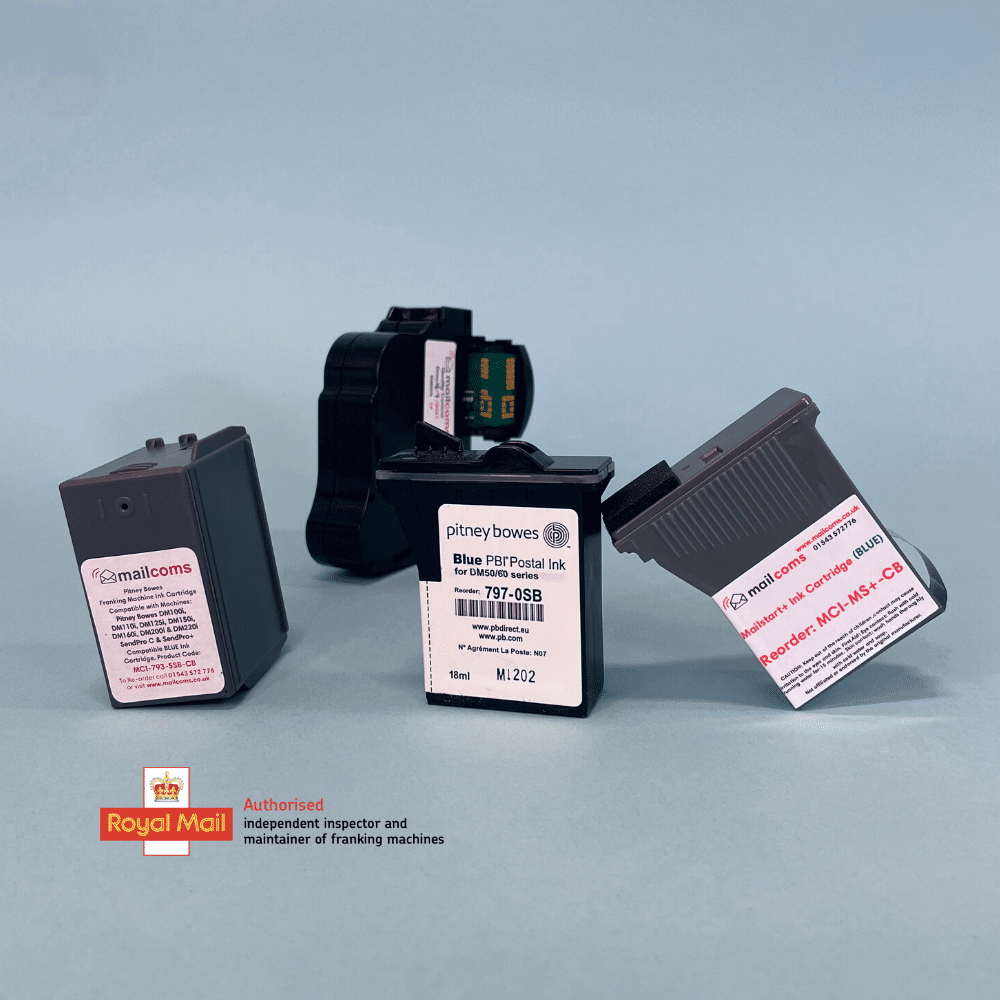
Mailcoms supplies Royal Mail approved ink cartridges that are genuine original or compatible for all major brands: Pitney Bowes, Quadient/Neopost, FP Mailing and more.
Step 3: Install the New Ink Cartridge and Check Print Quality
Once you have ordered your new franking ink cartridge, you will need to install this into your franking machine. Please view our franking machine support here to find out how to install an ink cartridge for your specific franking machine model. If you are still struggling, feel free to contact Mailcoms for more help.
Once you have successfully installed your new franking ink cartridge, we advise that you run a test print and/or cleaning cycle (if prompted). This will ensure the franking ink cartridge is installed correctly, that the impression is bold, legible and complete, and protects your items from being rejected or returned by Royal Mail.
Step 4: Keep a Spare Ink Cartridge Handy (So You Are Never Caught Out Again)
At Mailcoms we always recommend to our customers that they keep at least one spare franking ink cartridge in stock – especially if you frank daily or send mail in bulk. That way, you are never stuck mid-task, and your operations stay on track. Save time, order a franking ink cartridge today.
Final Thoughts
Running out of ink is frustrating – but it does not need to grind your business to a halt. With a few simple steps and the right franking machine supplier by your side, you can stay up and running with minimal disruption. At Mailcoms we offer:
- Genuine and compatible Royal Mail approved franking ink for many franking machines.
- Fast dispatch and low prices.
- Friendly, expert advice when you need it most.
At Mailcoms, we also offer a range of franking machines. If you are interested in getting a franking machine or wish to upgrade to a Mailmark franking machine with even lower prices available, then please view our franking machine page here or call us today on 01543 572 776. We are a Royal Mail Authorised Independent Inspector & Maintainer of postal franking machines since 2008, with over 20,000 customers nationwide.
Frequently asked questions
What does it mean when my franking machine says low ink? A low-ink warning means the cartridge is running down but the machine can still frank for a short while. Use the time to finish urgent items and order a replacement cartridge before it shows empty.
How do I know which ink cartridge my franking machine needs? Check your franking machine model number and the cartridge part number or SKU. If you are unsure, contact Mailcoms and we will identify the correct ink cartridge for your machine.
Why is my franking impression faint or being rejected? A faint or incomplete impression is usually caused by low or empty ink, or a cartridge that needs a cleaning cycle. Fit a fresh cartridge and run a test print or cleaning cycle so the impression is bold and complete, which prevents Royal Mail rejecting items.
Should I keep a spare franking ink cartridge? Yes. Mailcoms recommends keeping at least one spare cartridge in stock, especially if you frank daily or in bulk, so a sudden empty cartridge never stops your mail.